How to Set Up an ID Card Printer System for Your Business
, by Shawn McNamara, 3 min reading time
, by Shawn McNamara, 3 min reading time
Setting up an ID card printer system doesn't have to be complicated. This step-by-step guide covers everything from choosing the right Evolis printer to printing your first card.
Whether you're managing employee badges, student IDs, or access control cards, an in-house id card printer gives you speed. It also provides security and control. But getting started can feel overwhelming. This guide walks you through everything. It covers choosing the right printer and printing your first card.
Before buying a printer, answer these questions:
For most small-to-mid-size businesses, a single-sided printer handles the basics. If you need employee photos on the front and department info on the back, go dual-sided.
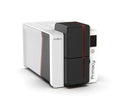
We carry the full Evolis lineup — one of the most trusted brands in ID card printing:
Browse the full ID Card Printers collection to compare models.
A printer is only as good as its consumables. You'll need:
Evolis printers come with Evolis Premium Suite, a free card design application. You can also use third-party ID software like CardPresso or Magicard's ID Works. Most connect via USB or Ethernet.
Keep it clean and functional:
Load your blank cards, run a test print, and adjust color calibration if needed. For encoded cards (mag stripe, NFC), the encoding happens simultaneously with printing — no separate step required with Evolis printers.
Setting up an ID card system doesn't have to be complicated. With the right printer and supplies, you can be printing professional cards in under an hour. Questions about which Evolis model is right for your setup? Reach out to our team — we're happy to help.